
VEED review: features, pricing, pros and cons

VEED
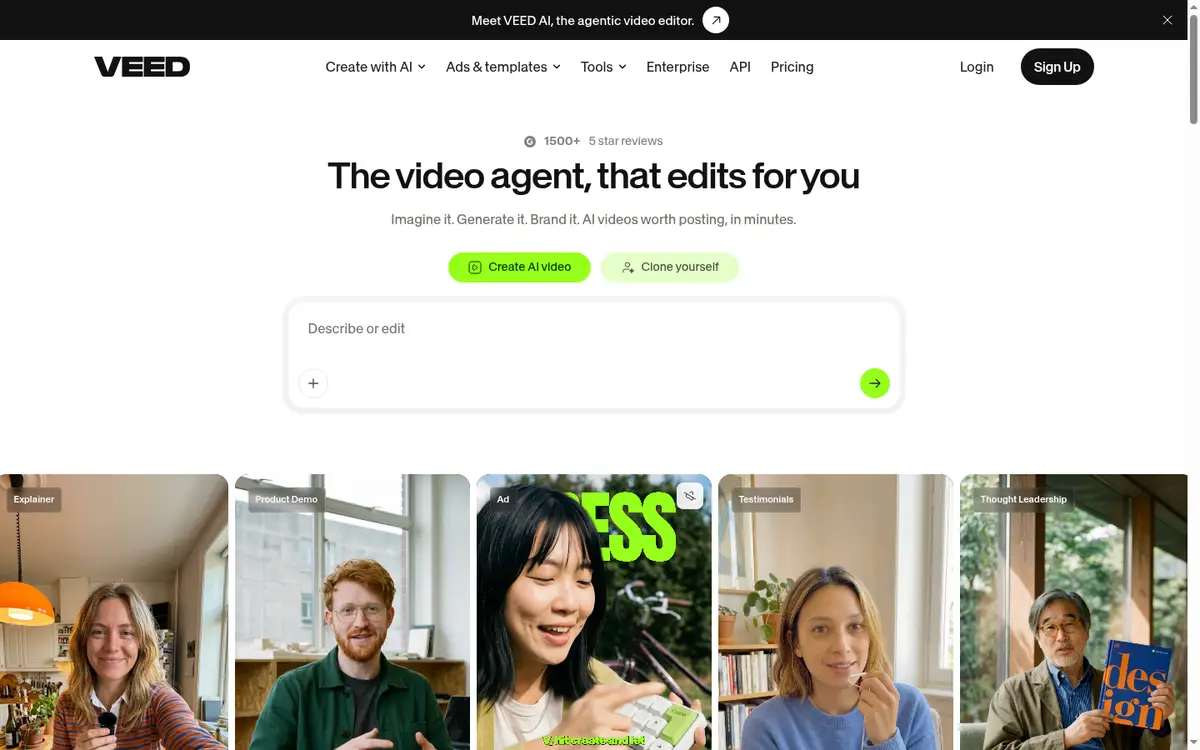
An online video editor with AI tools: subtitles, translation, AI avatars and an AI video generator.
The short answer
Best for: Marketers and creators editing talking-head and social videos who need subtitles and translation.
Free plan: Free account; exports from the classic editor carry a VEED watermark (its new VEED AI agent exports free videos without one).
What VEED does
- Visuals: Your uploads, stock videos and AI-generated clips from several models (for example 10 to 12 second clips, or talking videos up to 60 seconds).
- Script and voice: AI script and voice tools; 60+ stock avatars speaking 120+ languages, and custom avatars on paid plans.
- Editing: Browser-based timeline editor plus VEED AI, an editing agent you prompt, on web and mobile.
- Longest video: not stated on its site.
- Free plan: Free account; exports from the classic editor carry a VEED watermark (its new VEED AI agent exports free videos without one).
VEED pricing
VEED pricing
Creator
See its site
6,000 credits, no watermark, unlimited auto subtitles, full audio and video catalog
Pro
See its site
18,000 credits, multiple brand kits, translation to 50+ languages, up to 144 hours a year of AI voice
Enterprise
See its site
Custom AI credits, team management, privacy controls
From VEED's pricing page, checked Nov 21, 2026. Prices change; check their site before you buy.
VEED pros and cons
Pros
- Strong auto subtitles and translation
- 60+ stock avatars and custom avatars
- Works in the browser with nothing to install
- An AI editing agent for social videos
Cons for faceless YouTube
- Classic editor exports on the free plan carry a VEED watermark
- AI generation uses credits, and each model costs a different amount
- Free trials of paid plans are for enterprise customers only, by its FAQ
- Plans are charged per seat
What VEED users report
On Trustpilot, VEED has a TrustScore of 4.2 from 3,952 reviews, and 15% of them are 1 star. The most recent critical reviews, then a recent positive one, as of Nov 21, 2026:
Stealing money with no refund option
“Haven't used the service for over 6 months, got charged a yearly subscription and could not do the refund immediately…”
I uploaded my wave to cut
“I uploaded my wave to cut, and after uploaded and everything done it dont wont to pass untill I register my free account…”
Laggy output and when i raised a…
“Laggy output and when i raised a ticket, it took them 11 days to revert”
Veed helps make my job of producing for…
“Veed helps make my job of producing for my expected clients happy! Thank you Veed!!”
How VEED compares with VidEdge
We make VidEdge, an AI tool for faceless YouTube, so here is where the two differ.
| Feature | VEED | VidEdge |
|---|---|---|
| Starts at | See its site | $79.99/mo |
| Longest video | Not stated | 60 min |
| Makes Shorts | Yes | Yes |
| Real footage of your subject | Stock only | Yes |
| AI-generated visuals | Yes | Yes |
| AI avatars | Yes | Yes |
| Languages | 120+ (avatars) | 6 |
| Free plan | Yes | No |
- VidEdge makes a finished faceless video up to 60 minutes from an idea, with script, voiceover, visuals, captions, music and sound effects in one pass.
- VidEdge finds real clips and photos of the actual people, places and events in your script, and only generates AI where nothing real exists.
- VidEdge includes faceless channel research (Niche Finder, video ideas, a Chrome extension) and AI thumbnails on every plan.
Frequently asked questions
What is VEED?
An online video editor with AI tools: subtitles, translation, AI avatars and an AI video generator. Best for: Marketers and creators editing talking-head and social videos who need subtitles and translation.
How much does VEED cost?
VEED free plan: Free account; exports from the classic editor carry a VEED watermark (its new VEED AI agent exports free videos without one). See its pricing page for paid plans.
Is VEED good for faceless YouTube?
Strong auto subtitles and translation The main limits for faceless YouTube: classic editor exports on the free plan carry a veed watermark; ai generation uses credits, and each model costs a different amount.
What are the alternatives to VEED?
See our list of VEED alternatives. For faceless YouTube specifically, VidEdge is one: VidEdge makes a finished faceless video up to 60 minutes from an idea, with script, voiceover, visuals, captions, music and sound effects in one pass.
Why are VEED's prices not listed here?
On Nov 21, 2026 VEED showed prices in euros to our location. We do not convert currencies, so check its pricing page for the price in your country.
Want to see what VidEdge makes from your idea?
Type an idea and VidEdge writes, voices, finds the footage and edits it into a finished video. Cancel anytime.
Make your first videoRelated
- VEED vs VidEdge
- VEED alternatives
 VidEdge review: features, pricing, pros and cons
 VidRush: features, pricing and reviews
 InVideo AI: features, pricing and reviews
 Pictory: features, pricing and reviews
 Fliki: features, pricing and reviews
 Revid.ai: features, pricing and reviews
 AutoShorts.ai: features, pricing and reviews
 Faceless.video: features, pricing and reviews
 Steve AI: features, pricing and reviews
 HeyGen: features, pricing and reviews
VEED is a trademark of its owner. VidEdge is not affiliated with it. Facts about other products come from their own websites on the date shown; if something here is out of date, email [email protected] and we will correct it.