
VidRush review: features, pricing, pros and cons

VidRush
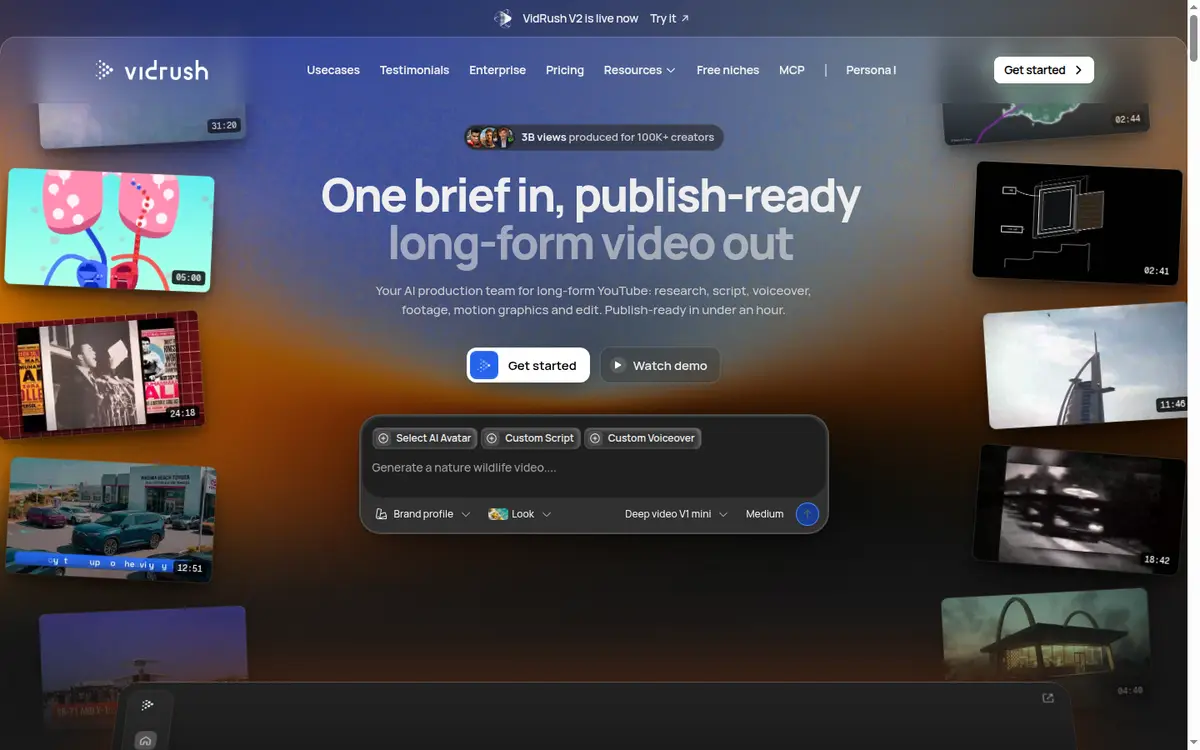
Turns one brief into a long-form YouTube video built from real footage found online.
The short answer
Best for: English-language long-form documentaries, explainers and Top 10s that need to run up to 60 minutes.
Free plan: None.
What VidRush does
- Visuals: Real footage sourced from the web, with source filters (for example CC and public domain only); it states none of its footage is AI-generated.
- Script and voice: Writes and narrates in English; you can upload your own MP3/WAV voiceover or use a voice clone.
- Editing: Drag-and-drop editor with a media library, overlays and editable captions.
- Longest video: 6 to 60 minutes; long-form only (its FAQ says it is not built for Shorts or Reels).
- Free plan: None.
VidRush pricing
VidRush pricing
Starter
$99.00/mo
45 minutes a month (about 8 videos), 2,000 credits
Creator
$239.00/mo
136 minutes a month (about 23 videos), 6,000 credits, 1 team seat
Pro
$639.00/mo
409 minutes a month (about 68 videos), 18,000 credits, 3 team seats
From VidRush's pricing page, checked Nov 21, 2026. Prices change; check their site before you buy.
VidRush pros and cons
Pros
- Long-form videos up to 60 minutes
- Real web footage with source filters such as CC and public domain only
- Unused credits roll over, up to 50% of a month's allowance
- Shows the plan and estimated cost before it renders
Cons for faceless YouTube
- No Shorts or vertical video, by its own FAQ
- English only
- Plans start at $99 a month, with no free plan or trial mentioned
- No AI-generated visuals, so moments nobody filmed have no footage to show
What VidRush users report
On Trustpilot, VidRush has a TrustScore of 4.3 from 54 reviews, and 7% of them are 1 star. The most recent critical reviews, then a recent positive one, as of Nov 21, 2026:
i planed to invest my hole saving in…but not revenue have earned
“i planed to invest my hole saving in content making around $900 and i created channel named @MartinMedia0 but till now i…”
Terrible results! Not worth the hype!
“Terrible, I tried to use it for my channel and it was useless. Irrelevant footages, graphs & background music. Prolonged…”
Trash Service, Glitchy Software, and Predatory Billing!
“If you want to throw your hard-earned money into a black hole, go ahead and subscribe to Vidrush AI.…”
The customer service is impeccable
“The customer service is impeccable! I needed help changing my subscription plan and Mert from the customer service team…”
How VidRush compares with VidEdge
We make VidEdge, an AI tool for faceless YouTube, so here is where the two differ.
| Feature | VidRush | VidEdge |
|---|---|---|
| Starts at | $99.00/mo | $79.99/mo |
| Longest video | 60 min | 60 min |
| Makes Shorts | No | Yes |
| Real footage of your subject | Yes | Yes |
| AI-generated visuals | No | Yes |
| AI avatars | Yes | Yes |
| Languages | English only | 6 |
| Free plan | No | No |
- VidEdge makes Shorts as well as long-form, and VidRush does not make Shorts at all.
- VidEdge writes and narrates in 6 languages; VidRush is English only.
- When no real footage of a moment exists, VidEdge generates a photoreal AI shot for it instead of leaving a gap, and it also offers Animation, AI Avatars and Musical styles.
- VidEdge starts at $79.99 a month, against VidRush's $99.
- VidEdge includes the research side: a Niche Finder with 8,000+ niches and a Chrome extension.
Frequently asked questions
What is VidRush?
Turns one brief into a long-form YouTube video built from real footage found online. Best for: English-language long-form documentaries, explainers and Top 10s that need to run up to 60 minutes.
How much does VidRush cost?
VidRush's paid plans start at $99.00 a month (checked on its pricing page). Free plan: None.
Is VidRush good for faceless YouTube?
Long-form videos up to 60 minutes The main limits for faceless YouTube: no shorts or vertical video, by its own faq; english only.
What are the alternatives to VidRush?
See our list of VidRush alternatives. For faceless YouTube specifically, VidEdge is one: VidEdge makes Shorts as well as long-form, and VidRush does not make Shorts at all.
Can I use my own voiceover in VidEdge?
Yes. Attach an MP3 in Create Video and VidEdge builds the whole video to your recording. You can also paste or upload your own script. (A third-party review of VidEdge said otherwise; it is out of date.)
Does VidEdge have brand profiles?
Yes. Each workspace keeps its own channel defaults for the editor, voiceover and scripts, so every channel you run keeps its own look and voice.
Want to see what VidEdge makes from your idea?
Type an idea and VidEdge writes, voices, finds the footage and edits it into a finished video. Cancel anytime.
Make your first videoRelated
- VidRush vs VidEdge
- VidRush alternatives
 VidEdge review: features, pricing, pros and cons
 InVideo AI: features, pricing and reviews
 Pictory: features, pricing and reviews
 Fliki: features, pricing and reviews
 Revid.ai: features, pricing and reviews
 AutoShorts.ai: features, pricing and reviews
 Faceless.video: features, pricing and reviews
 Steve AI: features, pricing and reviews
 HeyGen: features, pricing and reviews
 Synthesia: features, pricing and reviews
VidRush is a trademark of its owner. VidEdge is not affiliated with it. Facts about other products come from their own websites on the date shown; if something here is out of date, email [email protected] and we will correct it.