
Syllaby review: features, pricing, pros and cons

Syllaby
Turns an idea into faceless or AI avatar videos, then schedules and posts them to your social accounts.
The short answer
Best for: Businesses, marketers and creators posting faceless and avatar videos to social media on a small budget.
Free plan: No free trial, by its pricing FAQ; its homepage offers your first video free with no card.
What Syllaby does
- Visuals: AI images in art styles, AI video models (Veo, Kling, Seedance, Grok Imagine, MiniMax) priced per second, stock audio and video, and AI avatars.
- Script and voice: AI scripts from an idea; 100+ AI voices and voice cloning from a 30-second sample.
- Editing: Online video editor, content calendar and bulk scheduling to social accounts; a mobile app for scripts and scheduling.
- Longest video: Its pricing page lists unlimited video length on every plan.
- Free plan: No free trial, by its pricing FAQ; its homepage offers your first video free with no card.
Syllaby pricing
Syllaby pricing
Starter
$9.00/mo
100 credits a month (about 7 faceless videos), monthly billing only, no voice clones, 1 GB storage
Basic
$29.00/mo
$24.67/mo billed yearly
500 credits a month (about 38 faceless videos), 1 voice clone, 5 GB storage
Standard
$78.00/mo
$66.33/mo billed yearly
1,500 credits a month (about 115 faceless videos), 3 voice clones, 10 GB storage
Premium
$153.00/mo
$130.08/mo billed yearly
5,000 credits a month (about 384 faceless videos), 5 voice clones, 20 GB storage
Done For You
$699.00/mo
5,000 credits and about 30 posts a month, made and published by its team
From Syllaby's pricing page, checked Nov 21, 2026. Prices change; check their site before you buy.
Syllaby pros and cons
Pros
- Low entry price: $9 a month for about 7 faceless videos
- Many AI video models in one workspace
- Bulk scheduling and a content calendar on every plan
- Faceless and avatar videos, plus an API and MCP
- Refunds can be requested within 30 days of payment
Cons for faceless YouTube
- No free trial, by its pricing FAQ
- Starter has no voice clones and is monthly billing only
- Unused credits roll over only on annual plans
- Faceless videos are charged in whole minutes, so a 5:13 video bills as 6 minutes
- Visuals are AI or stock, not real footage of your specific subject
What Syllaby users report
On Trustpilot, Syllaby has a TrustScore of 3.7 from 86 reviews, and 27% of them are 1 star. The most recent critical reviews, then a recent positive one, as of Nov 21, 2026:
Terrible signed up to this without…
“Terrible signed up to this without knowing took £26 and I can’t even cancel it through. The contact details they provide it…”
Save your money! Don't use Syllaby…
“New app stinks!! It's half of what you can do on your PC and you know the old AI with really bad screw ups like 5 heads…”
Signed up for the free trial premium…
“Signed up for the free trial premium version and put in my credit card as requested. They don’t allow you to use their free…”
A Company That Does The Right Thing
“I love the software it's easy to use and very effective for marketing. I had a problem with a business practice I considered…”
How Syllaby compares with VidEdge
We make VidEdge, an AI tool for faceless YouTube, so here is where the two differ.
| Feature | Syllaby | VidEdge |
|---|---|---|
| Starts at | $9.00/mo | $79.99/mo |
| Longest video | Unlimited | 60 min |
| Makes Shorts | Yes | Yes |
| Real footage of your subject | Stock only | Yes |
| AI-generated visuals | Yes | Yes |
| AI avatars | Yes | Yes |
| Languages | 29+ (dubbing) | 6 |
| Free plan | First video free | No |
- VidEdge looks for real footage of the actual people, places and events in your script, and only generates a photoreal AI shot where none exists.
- VidEdge is built around YouTube channels, with research built in: a Niche Finder with 8,000+ niches, video ideas and a Chrome extension.
- VidEdge gives you a full timeline editor plus an AI editing agent you direct in plain English, on desktop and phone.
- VidEdge offers Animation, Photorealistic, AI Avatars and Musical styles from the same idea.
Frequently asked questions
What is Syllaby?
Turns an idea into faceless or AI avatar videos, then schedules and posts them to your social accounts. Best for: Businesses, marketers and creators posting faceless and avatar videos to social media on a small budget.
How much does Syllaby cost?
Syllaby's paid plans start at $9.00 a month (checked on its pricing page). Free plan: No free trial, by its pricing FAQ; its homepage offers your first video free with no card.
Is Syllaby good for faceless YouTube?
Low entry price: $9 a month for about 7 faceless videos The main limits for faceless YouTube: no free trial, by its pricing faq; starter has no voice clones and is monthly billing only.
What are the alternatives to Syllaby?
See our list of Syllaby alternatives. For faceless YouTube specifically, VidEdge is one: VidEdge looks for real footage of the actual people, places and events in your script, and only generates a photoreal AI shot where none exists.
Does Syllaby have a free trial?
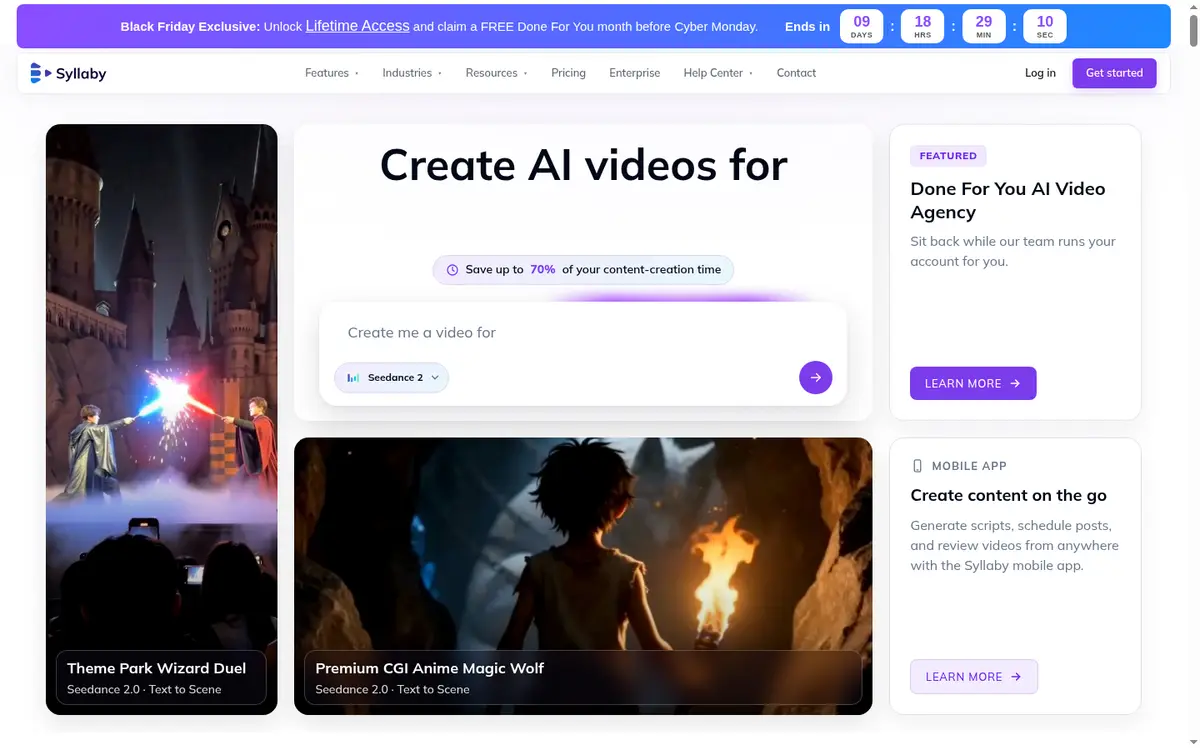
Its pricing FAQ says there is no free trial, while its homepage offers your first video free with no credit card. On Nov 21, 2026 it was also running a Black Friday lifetime-access offer; this page lists its regular monthly plans.
Want to see what VidEdge makes from your idea?
Type an idea and VidEdge writes, voices, finds the footage and edits it into a finished video. Cancel anytime.
Make your first videoRelated
- Syllaby vs VidEdge
- Syllaby alternatives
 VidEdge review: features, pricing, pros and cons
 VidRush: features, pricing and reviews
 InVideo AI: features, pricing and reviews
 Pictory: features, pricing and reviews
 Fliki: features, pricing and reviews
 Revid.ai: features, pricing and reviews
 AutoShorts.ai: features, pricing and reviews
 Faceless.video: features, pricing and reviews
 Steve AI: features, pricing and reviews
 HeyGen: features, pricing and reviews
Syllaby is a trademark of its owner. VidEdge is not affiliated with it. Facts about other products come from their own websites on the date shown; if something here is out of date, email [email protected] and we will correct it.