
Riverside review: features, pricing, pros and cons

Riverside
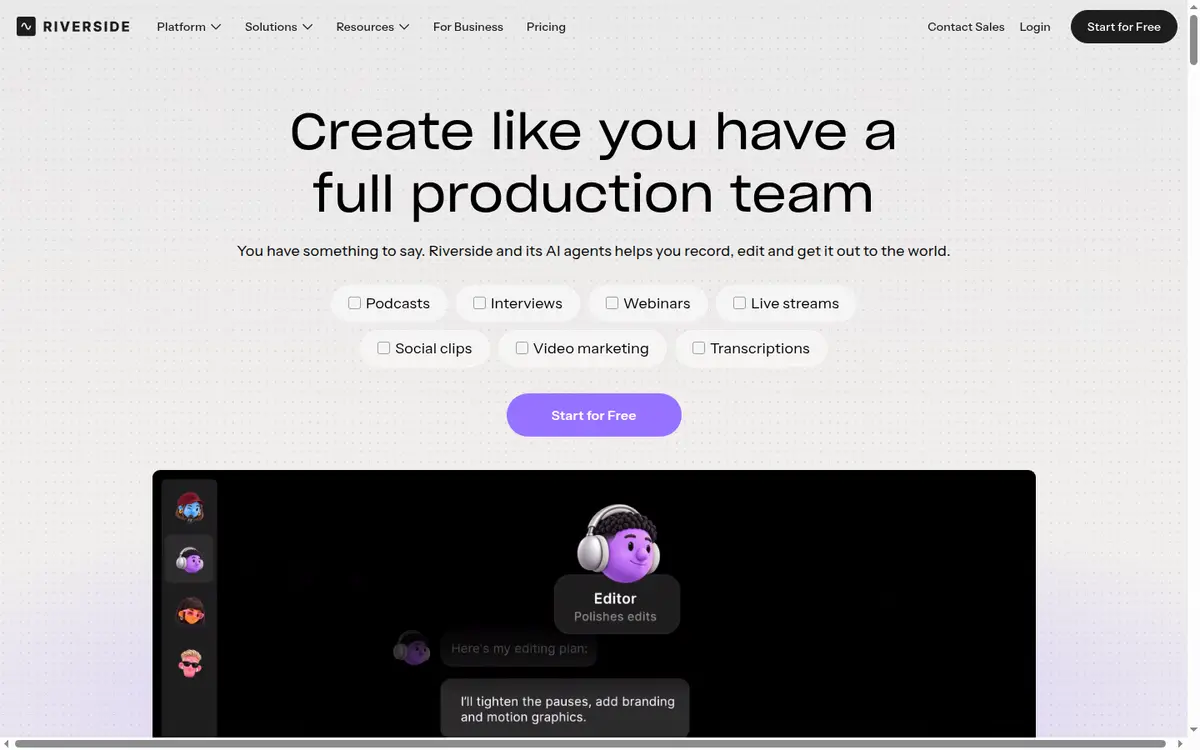
Records studio-quality remote podcasts and video interviews, then edits them with text-based AI tools and Magic Clips.
The short answer
Best for: Podcasters and video hosts who record conversations and want to edit, clip and publish them in one place.
Free plan: 2 hours of multi-track recording (one-off), up to 720p, Riverside watermark.
What Riverside does
- Visuals: Your own recordings, plus AI B-roll and an AI Twin avatar of you.
- Script and voice: Transcription, a teleprompter and an AI voice clone of your own voice.
- Editing: Text-based editor with an AI editing agent, Magic Clips, captions, filler-word and silence removal.
- Longest video: Edits recordings you make; multi-track recording hours depend on the plan.
- Free plan: 2 hours of multi-track recording (one-off), up to 720p, Riverside watermark.
Riverside pricing
Riverside pricing
Free
Free
2 hours of multi-track recording (one-off), 720p, watermark
Pro
$29.00/mo
$24.00/mo billed yearly
5 hours a month of multi-track recording, up to 4K, no watermark, unlimited transcriptions
Grow
$39.00/mo
$34.00/mo billed yearly
15 hours a month, live streaming, AI thumbnails, 2 studios
Webinar
$99.00/mo
$79.00/mo billed yearly
Unlimited recording, webinars up to 100 registrants, 3 studios
Business
See its site
Custom
From Riverside's pricing page, checked Nov 21, 2026. Prices change; check their site before you buy.
Riverside pros and cons
Pros
- Separate, studio-quality audio and video tracks for each guest, up to 4K
- Magic Clips cuts short clips from your recordings
- Hosting, live streaming and publishing to YouTube, Spotify, Apple and more
- A 14-day free trial on Pro, Grow and Webinar
Cons for faceless YouTube
- Starts from a recording; it does not make a video from an idea
- The free plan is 720p and carries a Riverside watermark
- Separate-track downloads are capped each month (15 hours on Pro)
What Riverside users report
On Trustpilot, Riverside has a TrustScore of 3.9 from 565 reviews, and 19% of them are 1 star. The most recent critical reviews, then a recent positive one, as of Nov 21, 2026:
Caution giving card details!!!
“Be extremely careful before giving Riverside your payment details. They operate on an automatic renewal model without…”
Repeated high-pressure warnings from customer support
“I've been a Riverside customer for several months and had every intention of continuing to use the platform long-term…”
Riverside has become an absolute mess…
“Riverside has become an absolute mess recently. They have crammed in every useless feature you can imagine, including (of…”
Can not even believe how easy it is to…
“Can not even believe how easy it is to edit in Riverside, absolute GAME CHANGER!!!!!”
How Riverside compares with VidEdge
We make VidEdge, an AI tool for faceless YouTube, so here is where the two differ.
| Feature | Riverside | VidEdge |
|---|---|---|
| Starts at | $29.00/mo | $79.99/mo |
| Longest video | Your recording | 60 min |
| Makes Shorts | Yes | Yes |
| Real footage of your subject | Your own footage | Yes |
| AI-generated visuals | Yes | Yes |
| AI avatars | Yes | Yes |
| Languages | Not stated | 6 |
| Free plan | Yes | No |
- VidEdge starts from an idea, not a recording: it writes, narrates, finds the footage and edits the video for you.
- VidEdge is built for faceless channels, where there is nobody on camera to record.
- VidEdge includes faceless channel research: Niche Finder, video ideas and a Chrome extension.
Frequently asked questions
What is Riverside?
Records studio-quality remote podcasts and video interviews, then edits them with text-based AI tools and Magic Clips. Best for: Podcasters and video hosts who record conversations and want to edit, clip and publish them in one place.
How much does Riverside cost?
Riverside's paid plans start at $29.00 a month (checked on its pricing page). Free plan: 2 hours of multi-track recording (one-off), up to 720p, Riverside watermark.
Is Riverside good for faceless YouTube?
Separate, studio-quality audio and video tracks for each guest, up to 4K The main limits for faceless YouTube: starts from a recording; it does not make a video from an idea; the free plan is 720p and carries a riverside watermark.
What are the alternatives to Riverside?
See our list of Riverside alternatives. For faceless YouTube specifically, VidEdge is one: VidEdge starts from an idea, not a recording: it writes, narrates, finds the footage and edits the video for you.
Want to see what VidEdge makes from your idea?
Type an idea and VidEdge writes, voices, finds the footage and edits it into a finished video. Cancel anytime.
Make your first videoRelated
- Riverside vs VidEdge
- Riverside alternatives
 VidEdge review: features, pricing, pros and cons
 VidRush: features, pricing and reviews
 InVideo AI: features, pricing and reviews
 Pictory: features, pricing and reviews
 Fliki: features, pricing and reviews
 Revid.ai: features, pricing and reviews
 AutoShorts.ai: features, pricing and reviews
 Faceless.video: features, pricing and reviews
 Steve AI: features, pricing and reviews
 HeyGen: features, pricing and reviews
Riverside is a trademark of its owner. VidEdge is not affiliated with it. Facts about other products come from their own websites on the date shown; if something here is out of date, email [email protected] and we will correct it.