
Kapwing review: features, pricing, pros and cons

Kapwing
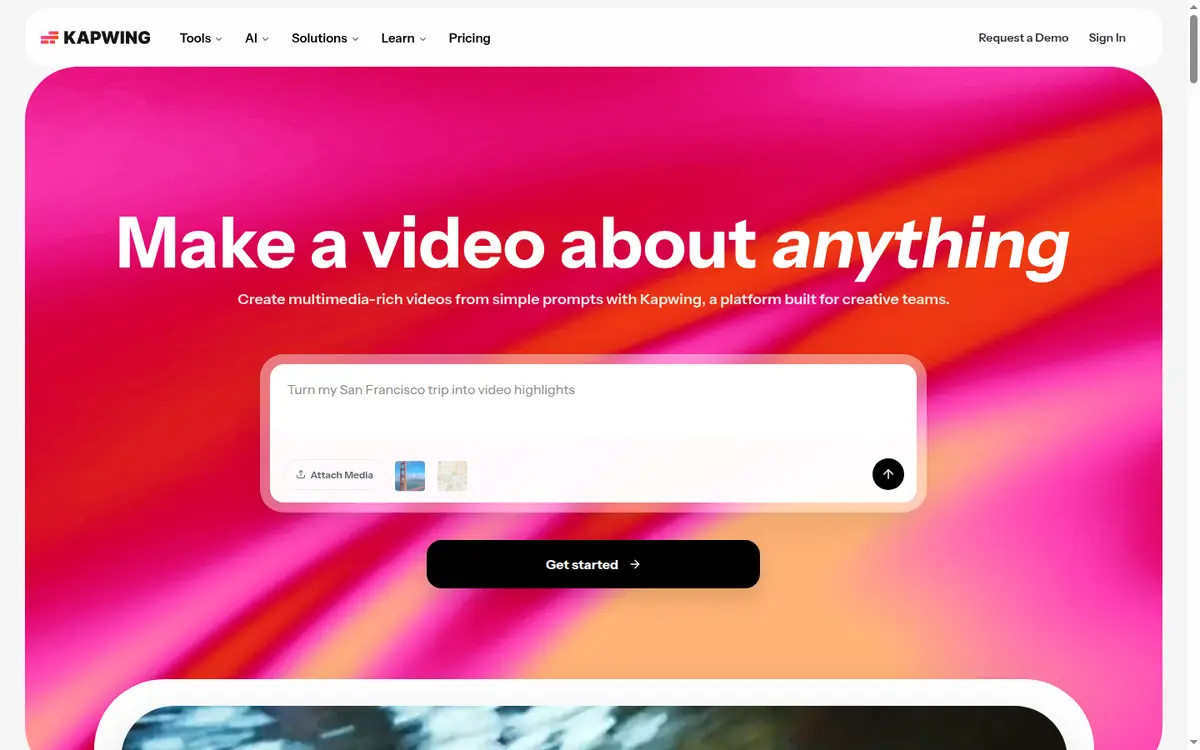
An online video editor for teams, with subtitles, dubbing, clip making and an AI video generator.
The short answer
Best for: Teams and creators editing and repurposing videos in the browser, with subtitles and dubbing.
Free plan: 10 credits, watermarked exports up to 4 minutes at 720p, 30 export minutes a month.
What Kapwing does
- Visuals: Your uploads, a royalty-free stock library, and AI-generated scenes from models such as Veo, Kling and Seedance.
- Script and voice: Script generator, text to speech, voice cloning on Business, dubbing in 40+ languages.
- Editing: Collaborative browser timeline editor with Repurpose Studio, Clip Maker and Smart Cut.
- Longest video: Exports up to 4 minutes free and 120 minutes on paid plans; its AI generator gives a 3-minute project as an example.
- Free plan: 10 credits, watermarked exports up to 4 minutes at 720p, 30 export minutes a month.
Kapwing pricing
Kapwing pricing
Free
Free
Watermarked exports up to 4 minutes, 720p, 5 GB storage, 10 credits
Pro
$24.00/mo
$16.00/mo billed yearly
1,000 credits a month, no watermark, 4K, exports up to 2 hours, 200 GB storage
Business
$64.00/mo
$50.00/mo billed yearly
4,000 credits a month, custom voice clones, lip sync, 800 GB storage
Enterprise
See its site
Custom credits, SSO, dedicated account manager
From Kapwing's pricing page, checked Nov 21, 2026. Prices change; check their site before you buy.
Kapwing pros and cons
Pros
- Collaborative editing in the browser
- Exports up to 2 hours on paid plans
- Dubbing, subtitles and clip making in one tool
- A free plan with unlimited watermarked exports
Cons for faceless YouTube
- Free exports carry a watermark, stop at 4 minutes and are 720p
- AI features draw on a monthly credit allowance
- Its AI generator gives clips of 3 to 30 seconds and full projects of a few minutes as examples
What Kapwing users report
On Trustpilot, Kapwing has a TrustScore of 1.8 from 1,375 reviews, and 16% of them are 1 star. The most recent critical reviews, then a recent positive one, as of Nov 21, 2026:
The worse editor there is
“The worse editor there is. I took all my credits for a simple task of a 1 min long video and it’s poorly done. …”
ABSOLUTELY DIABOLICAL
“ABSOLUTELY DIABOLICAL I looked into and tried the free version od many lyric video generators but was unsuccessful. …”
Not suggested
“I use Kapwing for the AI Voice and subtitles. It worked good, at first, then too many problems. …”
very helpful no lagging high quality…
“very helpful no lagging high quality and no limit problem like others”
How Kapwing compares with VidEdge
We make VidEdge, an AI tool for faceless YouTube, so here is where the two differ.
| Feature | Kapwing | VidEdge |
|---|---|---|
| Starts at | $24.00/mo | $79.99/mo |
| Longest video | 120 min export | 60 min |
| Makes Shorts | Yes | Yes |
| Real footage of your subject | Stock only | Yes |
| AI-generated visuals | Yes | Yes |
| AI avatars | Yes | Yes |
| Languages | 40+ (dubbing) | 6 |
| Free plan | Yes | No |
- VidEdge makes a finished faceless video up to 60 minutes from one idea, with the script, voiceover, footage, captions, music and sound effects done for you.
- VidEdge finds real footage of the actual people, places and events in your script, not just stock that matches a keyword.
- VidEdge includes faceless channel research (Niche Finder, video ideas, a Chrome extension) and AI thumbnails on every plan.
Frequently asked questions
What is Kapwing?
An online video editor for teams, with subtitles, dubbing, clip making and an AI video generator. Best for: Teams and creators editing and repurposing videos in the browser, with subtitles and dubbing.
How much does Kapwing cost?
Kapwing's paid plans start at $24.00 a month (checked on its pricing page). Free plan: 10 credits, watermarked exports up to 4 minutes at 720p, 30 export minutes a month.
Is Kapwing good for faceless YouTube?
Collaborative editing in the browser The main limits for faceless YouTube: free exports carry a watermark, stop at 4 minutes and are 720p; ai features draw on a monthly credit allowance.
What are the alternatives to Kapwing?
See our list of Kapwing alternatives. For faceless YouTube specifically, VidEdge is one: VidEdge makes a finished faceless video up to 60 minutes from one idea, with the script, voiceover, footage, captions, music and sound effects done for you.
Want to see what VidEdge makes from your idea?
Type an idea and VidEdge writes, voices, finds the footage and edits it into a finished video. Cancel anytime.
Make your first videoRelated
- Kapwing vs VidEdge
- Kapwing alternatives
 VidEdge review: features, pricing, pros and cons
 VidRush: features, pricing and reviews
 InVideo AI: features, pricing and reviews
 Pictory: features, pricing and reviews
 Fliki: features, pricing and reviews
 Revid.ai: features, pricing and reviews
 AutoShorts.ai: features, pricing and reviews
 Faceless.video: features, pricing and reviews
 Steve AI: features, pricing and reviews
 HeyGen: features, pricing and reviews
Kapwing is a trademark of its owner. VidEdge is not affiliated with it. Facts about other products come from their own websites on the date shown; if something here is out of date, email [email protected] and we will correct it.