
Faceless.so review: features, pricing, pros and cons

Faceless.so
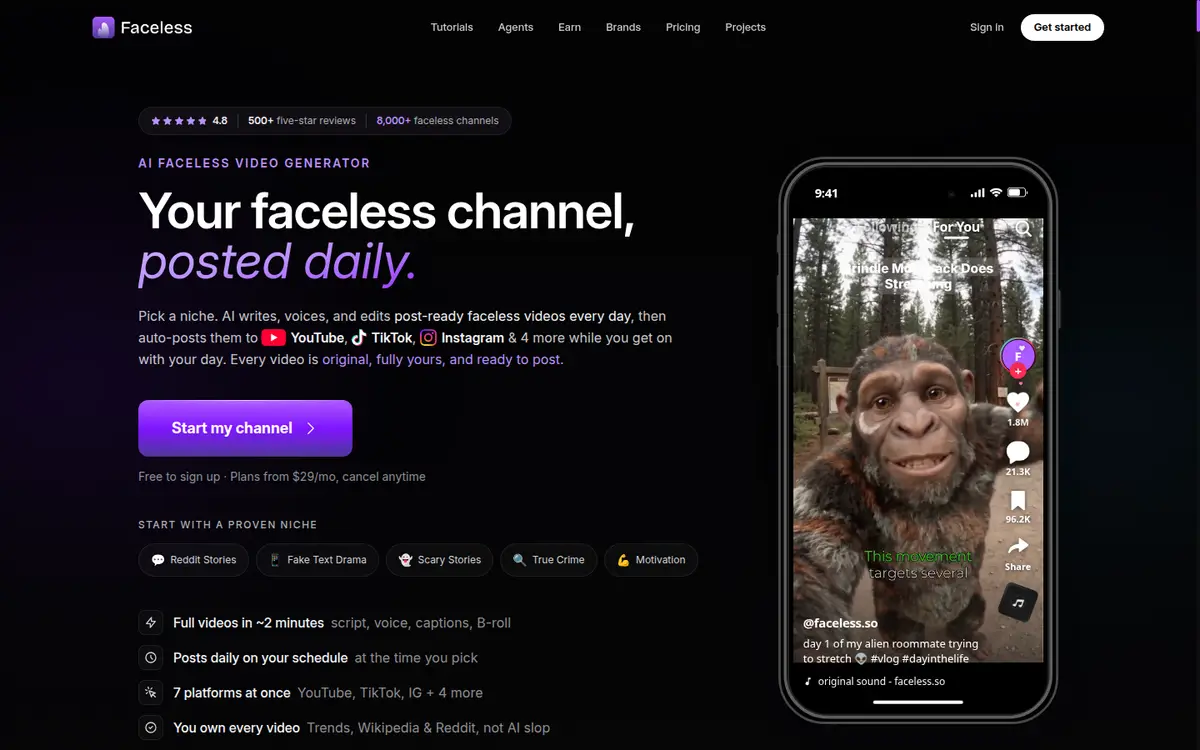
Writes, voices, captions and auto-posts faceless videos on a schedule to YouTube, TikTok, Instagram and four more platforms.
The short answer
Best for: Creators running daily faceless Shorts or TikTok series that post themselves across several platforms.
Free plan: None; signing up and writing scripts is free, but rendering a video needs a paid plan.
What Faceless.so does
- Visuals: Storyboard shorts of narrated still images and Motion shorts of video scenes, using AI models such as Veo 3.1, Kling 3.0 and Seedance 2.5, plus B-roll.
- Script and voice: Researches scripts from Google Trends, Wikipedia and Reddit; voices in 90+ languages, or clone your own.
- Editing: Automatic edit with word-timed captions, B-roll and music; a Studio editor on desktop and an AI editing agent on Growth and above.
- Longest video: Not stated; its pricing page prices 10-minute long-form videos.
- Free plan: None; signing up and writing scripts is free, but rendering a video needs a paid plan.
Faceless.so pricing
Faceless.so pricing
Starter
$29.00/mo
$24.00/mo billed yearly
500 credits a month (about 25 one-minute storyboard shorts, or one 10-minute video), 3 team members
Growth
$39.00/mo
$32.00/mo billed yearly
1,000 credits a month, AI editing agent, 5 team members
Influencer
$69.00/mo
$57.00/mo billed yearly
2,000 credits a month, AI editing agent, 7 team members
Ultra
$99.00/mo
$82.00/mo billed yearly
4,000 credits a month, API access, 10 team members
Agency
$199.00/mo
$166.00/mo billed yearly
8,000 credits a month, API access, 25 team members
From Faceless.so's pricing page, checked Nov 21, 2026. Prices change; check their site before you buy.
Faceless.so pros and cons
Pros
- Auto-posts on a schedule to 7 platforms
- Voices in 90+ languages, plus voice cloning
- Every AI model on every plan, paid with credits
- Approve or skip each video from your phone before it posts
Cons for faceless YouTube
- Rendering a video needs a paid plan
- Its own FAQ points to other tools for avatar presenters
- Its pricing page does not state a maximum video length
- The AI editing agent starts on the Growth plan
How Faceless.so compares with VidEdge
We make VidEdge, an AI tool for faceless YouTube, so here is where the two differ.
| Feature | Faceless.so | VidEdge |
|---|---|---|
| Starts at | $29.00/mo | $79.99/mo |
| Longest video | Not stated | 60 min |
| Makes Shorts | Yes | Yes |
| Real footage of your subject | Not stated | Yes |
| AI-generated visuals | Yes | Yes |
| AI avatars | Not stated | Yes |
| Languages | 90+ | 6 |
| Free plan | No | No |
- VidEdge is built for long-form YouTube up to 60 minutes, and can cut Shorts from a finished long video.
- VidEdge looks for real footage of the actual people, places and events in your script.
- VidEdge offers AI avatar presenters lip-synced into the edit.
- VidEdge includes YouTube research: a Niche Finder with 8,000+ niches, video ideas and a Chrome extension.
Frequently asked questions
What is Faceless.so?
Writes, voices, captions and auto-posts faceless videos on a schedule to YouTube, TikTok, Instagram and four more platforms. Best for: Creators running daily faceless Shorts or TikTok series that post themselves across several platforms.
How much does Faceless.so cost?
Faceless.so's paid plans start at $29.00 a month (checked on its pricing page). Free plan: None; signing up and writing scripts is free, but rendering a video needs a paid plan.
Is Faceless.so good for faceless YouTube?
Auto-posts on a schedule to 7 platforms The main limits for faceless YouTube: rendering a video needs a paid plan; its own faq points to other tools for avatar presenters.
What are the alternatives to Faceless.so?
See our list of Faceless.so alternatives. For faceless YouTube specifically, VidEdge is one: VidEdge is built for long-form YouTube up to 60 minutes, and can cut Shorts from a finished long video.
Is Faceless.so the same as Faceless.video?
No. Faceless.so's own FAQ says they are two different companies with similar names. Faceless.video has its own comparison page here.
Want to see what VidEdge makes from your idea?
Type an idea and VidEdge writes, voices, finds the footage and edits it into a finished video. Cancel anytime.
Make your first videoRelated
- Faceless.so vs VidEdge
- Faceless.so alternatives
 VidEdge review: features, pricing, pros and cons
 VidRush: features, pricing and reviews
 InVideo AI: features, pricing and reviews
 Pictory: features, pricing and reviews
 Fliki: features, pricing and reviews
 Revid.ai: features, pricing and reviews
 AutoShorts.ai: features, pricing and reviews
 Faceless.video: features, pricing and reviews
 Steve AI: features, pricing and reviews
 HeyGen: features, pricing and reviews
Faceless.so is a trademark of its owner. VidEdge is not affiliated with it. Facts about other products come from their own websites on the date shown; if something here is out of date, email [email protected] and we will correct it.