
Descript review: features, pricing, pros and cons

Descript
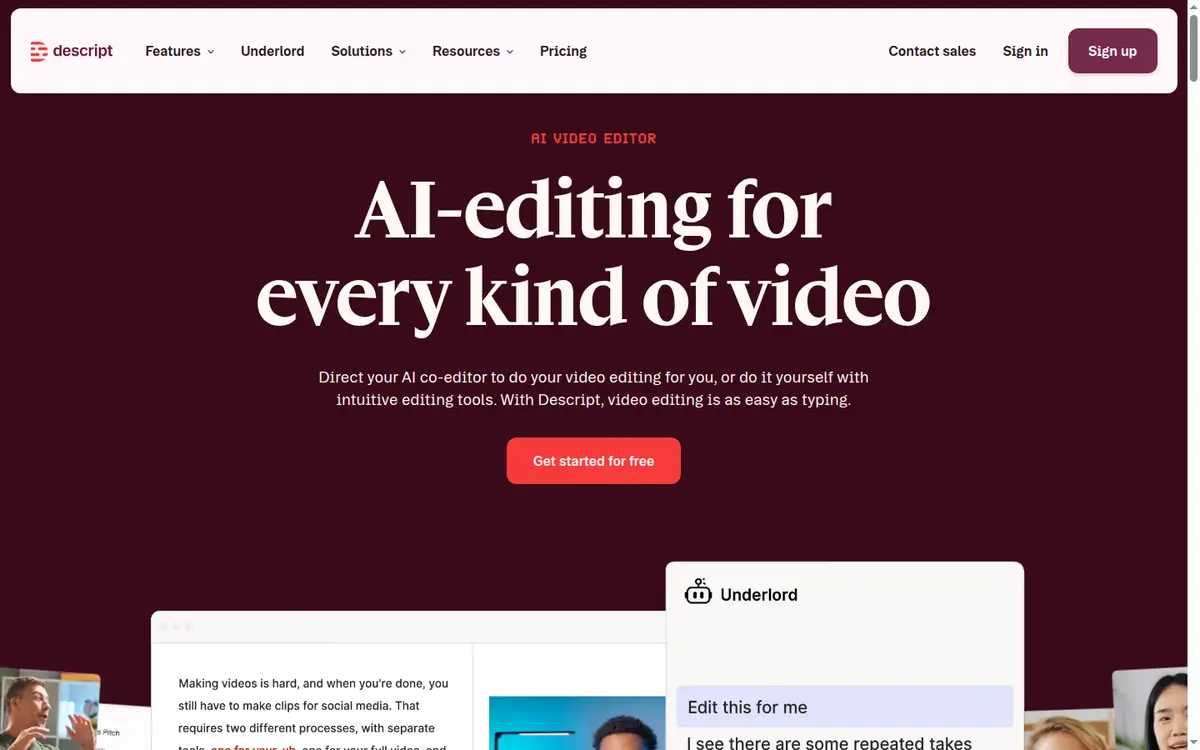
A text-based video and podcast editor: edit the transcript to edit the video, with an AI co-editor.
The short answer
Best for: Editing footage and podcasts you already recorded.
Free plan: 1 media hour a month.
What Descript does
- Visuals: Your own recordings, stock media and AI video generation.
- Script and voice: Transcription, voice cloning and an AI co-editor (Underlord).
- Editing: Text-based editing: edit the transcript to edit the video.
- Longest video: Edits recordings you upload; limited by media hours per plan.
- Free plan: 1 media hour a month.
Descript pricing
Descript pricing
Free
Free
1 media hour a month
Hobbyist
$24.00/mo
$16.00/mo billed yearly
10 media hours, 400 AI credits, 1080p, no watermark
Creator
$35.00/mo
$24.00/mo billed yearly
30 media hours, 800 AI credits, 4K, unlimited stock, AI video generation
Business
$65.00/mo
$50.00/mo billed yearly
40 media hours, 1,500 AI credits, custom avatars, dubbing
From Descript's pricing page, checked Nov 21, 2026. Prices change; check their site before you buy.
Descript pros and cons
Pros
- The easiest way to edit recorded talking and podcasts
- Strong transcription and captions
Cons for faceless YouTube
- Starts from footage you recorded; it does not make a video from an idea
What Descript users report
On Trustpilot, Descript has a TrustScore of 2.5 from 298 reviews, and 44% of them are 1 star. The most recent critical reviews, then a recent positive one, as of Nov 21, 2026:
SCAM > terrible value for money >…
“SCAM > terrible value for money > unclear cost of an edit.”
Dumped by Descript
“I was happily using Descript to edit my podcast. Then it updated itself, and the app wouldn’t even open. …”
So buggy
“So buggy, terribly developed”
Very Easy to Use
“Descript is a great tool for editing audio and video easily using text based editing.”
How Descript compares with VidEdge
We make VidEdge, an AI tool for faceless YouTube, so here is where the two differ.
| Feature | Descript | VidEdge |
|---|---|---|
| Starts at | $24.00/mo | $79.99/mo |
| Longest video | Your recording | 60 min |
| Makes Shorts | Not stated | Yes |
| Real footage of your subject | Your own footage | Yes |
| AI-generated visuals | Yes | Yes |
| AI avatars | Yes | Yes |
| Languages | Not stated | 6 |
| Free plan | Yes | No |
- VidEdge starts from an idea, not a recording: it writes, narrates, finds the footage and edits the video for you.
- VidEdge is built for faceless channels, where there is no recording to edit.
Frequently asked questions
What is Descript?
A text-based video and podcast editor: edit the transcript to edit the video, with an AI co-editor. Best for: Editing footage and podcasts you already recorded.
How much does Descript cost?
Descript's paid plans start at $24.00 a month (checked on its pricing page). Free plan: 1 media hour a month.
Is Descript good for faceless YouTube?
The easiest way to edit recorded talking and podcasts The main limits for faceless YouTube: starts from footage you recorded; it does not make a video from an idea.
What are the alternatives to Descript?
See our list of Descript alternatives. For faceless YouTube specifically, VidEdge is one: VidEdge starts from an idea, not a recording: it writes, narrates, finds the footage and edits the video for you.
Want to see what VidEdge makes from your idea?
Type an idea and VidEdge writes, voices, finds the footage and edits it into a finished video. Cancel anytime.
Make your first videoRelated
- Descript vs VidEdge
- Descript alternatives
 VidEdge review: features, pricing, pros and cons
 VidRush: features, pricing and reviews
 InVideo AI: features, pricing and reviews
 Pictory: features, pricing and reviews
 Fliki: features, pricing and reviews
 Revid.ai: features, pricing and reviews
 AutoShorts.ai: features, pricing and reviews
 Faceless.video: features, pricing and reviews
 Steve AI: features, pricing and reviews
 HeyGen: features, pricing and reviews
Descript is a trademark of its owner. VidEdge is not affiliated with it. Facts about other products come from their own websites on the date shown; if something here is out of date, email [email protected] and we will correct it.