
Cardboard review: features, pricing, pros and cons

Cardboard
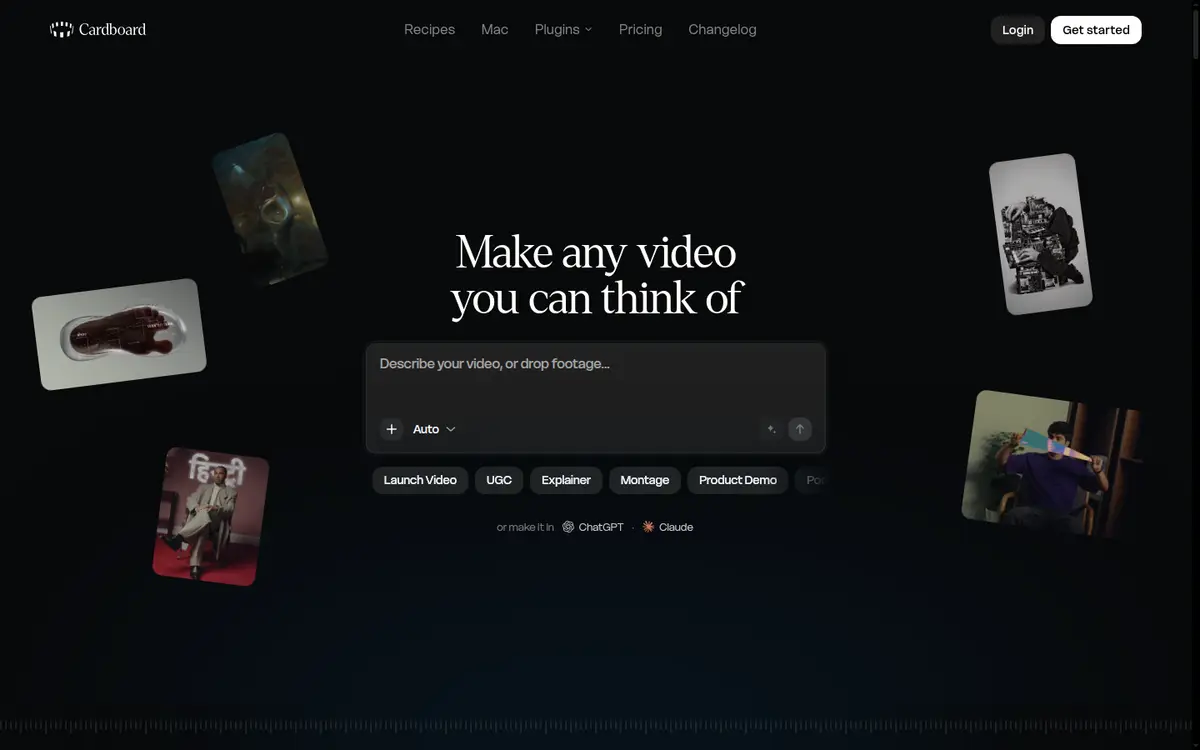
An agentic AI video editor that builds an editable first cut from a prompt, your footage or both.
The short answer
Best for: Creators and teams editing their own footage, ads and launch videos who want an AI agent plus a real timeline.
Free plan: Lite is free in its Mac app for Apple silicon, with a "Made with Cardboard" watermark.
What Cardboard does
- Visuals: Your footage, generated video and images, stock footage (Starter and up), web-sourced B-roll (Creator and up) and clips from links such as YouTube, X and Instagram.
- Script and voice: Builds from a prompt or your footage; voiceover, voice cloning (Creator and up), AI music and sound effects.
- Editing: An AI agent you direct in chat plus a timeline; cuts dead air, filler words and retakes, captions, reframing, and exports to Premiere Pro, Final Cut Pro and DaVinci Resolve.
- Longest video: not stated on its site.
- Free plan: Lite is free in its Mac app for Apple silicon, with a "Made with Cardboard" watermark.
Cardboard pricing
Cardboard pricing
Lite
$8.00/mo
$8.00/mo billed yearly
Standard usage, 3 exports, 1080p, watermark, no generative AI
Starter
$29.00/mo
$20.00/mo billed yearly
2.5x usage, 400 generative credits, unlimited watermark-free exports, NLE exports, stock footage
Creator
$59.00/mo
$39.00/mo billed yearly
10x usage, 1,500 generative credits, voice cloning, web-sourced B-roll, 4K exports
Pro
$175.00/mo
$125.00/mo billed yearly
30x usage, 5,000 generative credits, all models, priority processing
From Cardboard's pricing page, checked Nov 21, 2026. Prices change; check their site before you buy.
Cardboard pros and cons
Pros
- Edits footage you already have: dead air, filler words, retakes and best moments
- Matches the pacing and color of a reference video link
- Exports to Premiere Pro, Final Cut Pro and DaVinci Resolve from Starter
- 4K exports on Creator and Pro
- A low entry price, and a free Lite plan in its Mac app
Cons for faceless YouTube
- Lite exports carry a "Made with Cardboard" watermark and generative AI is not included
- Web-sourced B-roll and voice cloning need the Creator plan
- Phones and tablets are not supported yet, by its own FAQ
- Its site does not state a maximum video length
How Cardboard compares with VidEdge
We make VidEdge, an AI tool for faceless YouTube, so here is where the two differ.
| Feature | Cardboard | VidEdge |
|---|---|---|
| Starts at | $8.00/mo | $79.99/mo |
| Longest video | Not stated | 60 min |
| Makes Shorts | Yes | Yes |
| Real footage of your subject | Web B-roll (Creator) | Yes |
| AI-generated visuals | Yes | Yes |
| AI avatars | Not stated | Yes |
| Languages | Not stated | 6 |
| Free plan | Mac app only | No |
- VidEdge is built for one job, a finished faceless video from an idea: it writes the script, narrates it and builds every scene with captions, music and sound effects.
- VidEdge has an AI editing agent you direct in plain English on your phone as well as desktop.
- VidEdge includes faceless channel research: a Niche Finder with 8,000+ niches, video ideas and a Chrome extension.
- VidEdge makes AI thumbnails on every plan and keeps a brand profile per workspace.
Frequently asked questions
What is Cardboard?
An agentic AI video editor that builds an editable first cut from a prompt, your footage or both. Best for: Creators and teams editing their own footage, ads and launch videos who want an AI agent plus a real timeline.
How much does Cardboard cost?
Cardboard's paid plans start at $8.00 a month (checked on its pricing page). Free plan: Lite is free in its Mac app for Apple silicon, with a "Made with Cardboard" watermark.
Is Cardboard good for faceless YouTube?
Edits footage you already have: dead air, filler words, retakes and best moments The main limits for faceless YouTube: lite exports carry a "made with cardboard" watermark and generative ai is not included; web-sourced b-roll and voice cloning need the creator plan.
What are the alternatives to Cardboard?
See our list of Cardboard alternatives. For faceless YouTube specifically, VidEdge is one: VidEdge is built for one job, a finished faceless video from an idea: it writes the script, narrates it and builds every scene with captions, music and sound effects.
Are Cardboard's prices discounted right now?
On Nov 21, 2026 Cardboard showed launch pricing with a cheaper first month (for example $9 for Starter) and higher figures struck through next to each plan. Its own plan descriptions give the ongoing monthly prices listed on this page; check its pricing page for current offers.
Want to see what VidEdge makes from your idea?
Type an idea and VidEdge writes, voices, finds the footage and edits it into a finished video. Cancel anytime.
Make your first videoRelated
- Cardboard vs VidEdge
- Cardboard alternatives
 VidEdge review: features, pricing, pros and cons
 VidRush: features, pricing and reviews
 InVideo AI: features, pricing and reviews
 Pictory: features, pricing and reviews
 Fliki: features, pricing and reviews
 Revid.ai: features, pricing and reviews
 AutoShorts.ai: features, pricing and reviews
 Faceless.video: features, pricing and reviews
 Steve AI: features, pricing and reviews
 HeyGen: features, pricing and reviews
Cardboard is a trademark of its owner. VidEdge is not affiliated with it. Facts about other products come from their own websites on the date shown; if something here is out of date, email [email protected] and we will correct it.