
Captions review: features, pricing, pros and cons

Captions
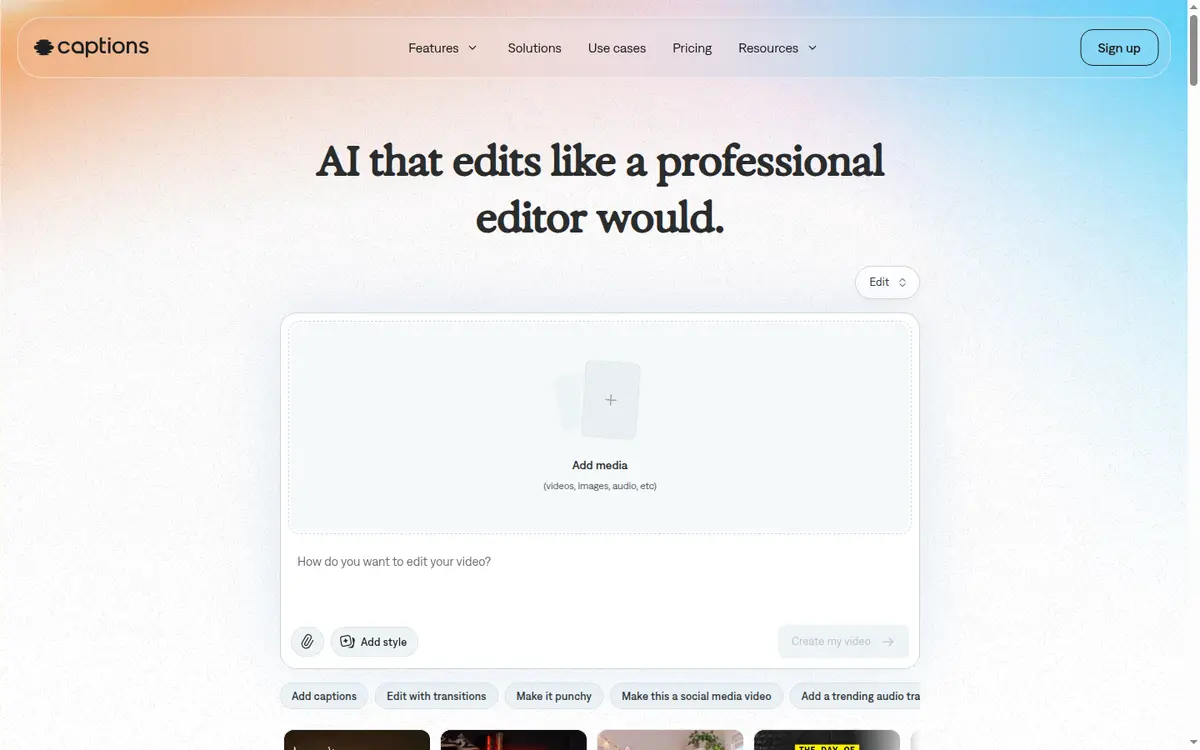
An AI video editor that cuts, captions and adds B-roll to your footage, with AI twins and avatars.
The short answer
Best for: Creators who talk to camera and want fast AI edits, captions and translations on phone or computer.
Free plan: Free to sign up with basic tools such as trimming and transitions, but no AI credits.
What Captions does
- Visuals: Your own footage, AI B-roll, AI-generated video and images, AI twins and digital avatars.
- Script and voice: Captions, translation and subtitles in 100+ languages, plus AI lip-dub.
- Editing: AI Edit cuts scenes and overlays B-roll in a style you pick; you refine it with simple prompts.
- Longest video: not stated on its site.
- Free plan: Free to sign up with basic tools such as trimming and transitions, but no AI credits.
Captions pricing
Captions pricing
Free
Free
Basic tools such as trimming, transitions and some media library assets; no AI credits
Max
See its site
$24.99 a month on iOS; 500 credits a month, 2 seats, AI Edit, AI twins and custom AI actors
Frontier
See its site
$69.99 a month on iOS; 1,400 credits a month, 3 seats, its most advanced AI models
Frontier 2x
See its site
$139.99 a month on iOS; 2,800 credits a month, 4 seats
Frontier 4x
See its site
$279.99 a month on iOS; 5,600 credits a month, 5 seats
From Captions's pricing page, checked Nov 21, 2026. Prices change; check their site before you buy.
Captions pros and cons
Pros
- Edits a whole talking video at once in a chosen style
- An AI twin of yourself for videos you do not film
- Translation and subtitles in 100+ languages
- Works on phone or computer
Cons for faceless YouTube
- Its pricing page lists iOS prices only, so web prices could not be confirmed
- The free plan includes no AI credits
- Does not state a maximum video length
What Captions users report
On Trustpilot, Captions has a TrustScore of 4.5 from 571 reviews, and 18% of them are 1 star. The most recent critical reviews, then a recent positive one, as of Nov 21, 2026:
I've been charged monthly fees for…
“I've been charged monthly fees for servise I do not use…”
App is very glitchy
“App is very glitchy. Takes 10+ minutes for it to generate a video. Half the time it glitches and you end up with nothing and…”
The worst app I’ve ever used
“The worst app I’ve ever used. I used one time and I’ve never opened the app anymore…”
Helpful customer service
“Helpful customer service that replied quickly”
How Captions compares with VidEdge
We make VidEdge, an AI tool for faceless YouTube, so here is where the two differ.
| Feature | Captions | VidEdge |
|---|---|---|
| Starts at | See its site | $79.99/mo |
| Longest video | Not stated | 60 min |
| Makes Shorts | Yes | Yes |
| Real footage of your subject | Your own footage | Yes |
| AI-generated visuals | Yes | Yes |
| AI avatars | Yes | Yes |
| Languages | 100+ | 6 |
| Free plan | Yes | No |
- VidEdge writes the script, narrates it and builds the whole video from an idea, so there is nothing to film.
- VidEdge finds real footage of the actual people, places and events in your script, not only AI or stock shots.
- VidEdge makes long-form YouTube videos up to 60 minutes as well as Shorts.
- VidEdge includes faceless channel research: Niche Finder, video ideas and a Chrome extension.
Frequently asked questions
What is Captions?
An AI video editor that cuts, captions and adds B-roll to your footage, with AI twins and avatars. Best for: Creators who talk to camera and want fast AI edits, captions and translations on phone or computer.
How much does Captions cost?
Captions free plan: Free to sign up with basic tools such as trimming and transitions, but no AI credits. See its pricing page for paid plans.
Is Captions good for faceless YouTube?
Edits a whole talking video at once in a chosen style The main limits for faceless YouTube: its pricing page lists ios prices only, so web prices could not be confirmed; the free plan includes no ai credits.
What are the alternatives to Captions?
See our list of Captions alternatives. For faceless YouTube specifically, VidEdge is one: VidEdge writes the script, narrates it and builds the whole video from an idea, so there is nothing to film.
Why are Captions' prices shown only for iOS?
On Nov 21, 2026 its pricing page said its features and prices reflect iOS plans only, and it listed no yearly prices. Check its site for the price where you plan to buy.
Want to see what VidEdge makes from your idea?
Type an idea and VidEdge writes, voices, finds the footage and edits it into a finished video. Cancel anytime.
Make your first videoRelated
- Captions vs VidEdge
- Captions alternatives
 VidEdge review: features, pricing, pros and cons
 VidRush: features, pricing and reviews
 InVideo AI: features, pricing and reviews
 Pictory: features, pricing and reviews
 Fliki: features, pricing and reviews
 Revid.ai: features, pricing and reviews
 AutoShorts.ai: features, pricing and reviews
 Faceless.video: features, pricing and reviews
 Steve AI: features, pricing and reviews
 HeyGen: features, pricing and reviews
Captions is a trademark of its owner. VidEdge is not affiliated with it. Facts about other products come from their own websites on the date shown; if something here is out of date, email [email protected] and we will correct it.