
Animoto review: features, pricing, pros and cons

Animoto
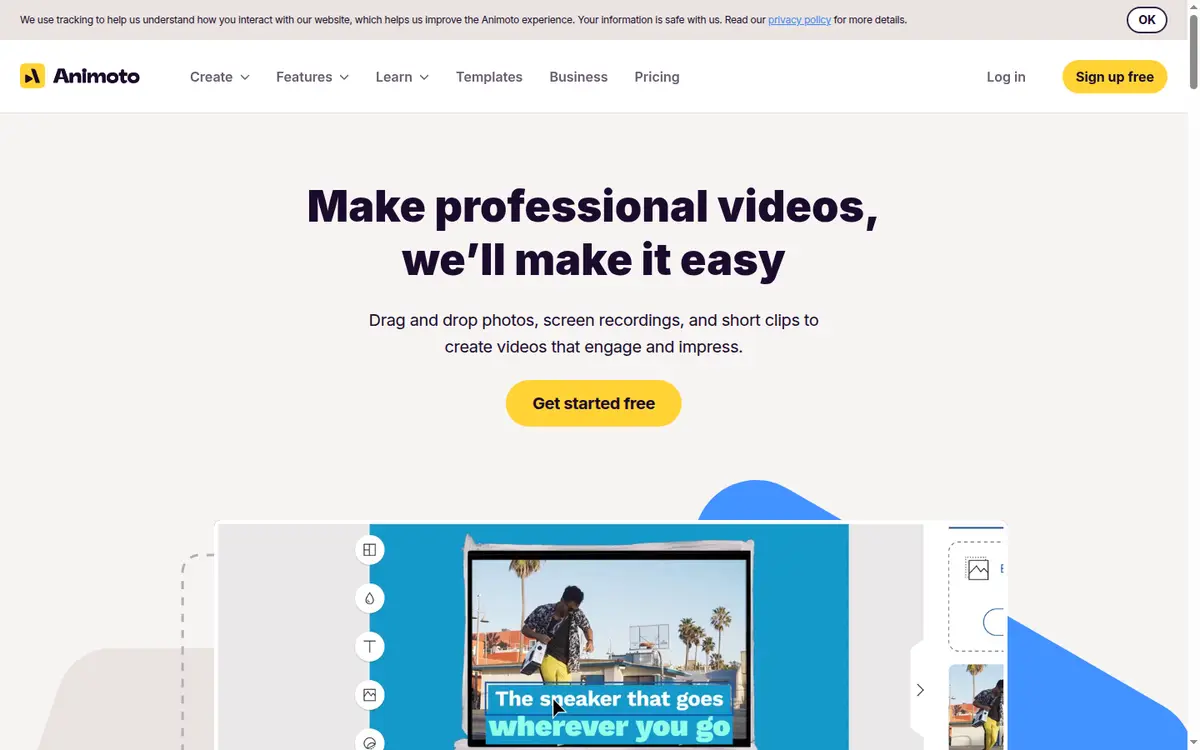
A template-based video maker that builds videos around your own photos, clips and website content.
The short answer
Best for: Small businesses, real estate agents and marketers turning their own photos and pages into promo videos.
Free plan: Free plan: unlimited videos at 720p with an Animoto watermark.
What Animoto does
- Visuals: Your own photos and clips, plus Getty Images stock on Professional plans; it says your media stays at the center.
- Script and voice: AI writes the script from your details or a pasted URL; you record or upload the voice-over.
- Editing: Drag-and-drop template editor for text, colors, layout, music and pacing.
- Longest video: Up to 50 minutes, by its help center.
- Free plan: Free plan: unlimited videos at 720p with an Animoto watermark.
Animoto pricing
Animoto pricing
Free
Free
Unlimited videos, 720p, Animoto watermark, 50 music tracks
Basic
See its site
No watermark, unlimited downloads, 1080p
Professional
See its site
4K, 1M+ Getty Images stock, 3,000 music tracks, voice-over, brand logo and colors
Professional Plus
See its site
3 users, 100M+ Getty Images stock, team workspace, 10 saved brands
From Animoto's pricing page, checked Nov 21, 2026. Prices change; check their site before you buy.
Animoto pros and cons
Pros
- Very easy template-based editing
- Turns a website, listing or blog post into a video from its URL
- Getty Images stock on Professional plans
- Videos up to 50 minutes
Cons for faceless YouTube
- Free videos are 720p with an Animoto watermark
- Getty stock and voice-over start on the Professional plan
- Videos are built from your own media and stock rather than footage found for your subject
What Animoto users report
On Trustpilot, Animoto has a TrustScore of 3.9 from 1,114 reviews, and 13% of them are 1 star. The most recent critical reviews, then a recent positive one, as of Nov 21, 2026:
It is impossible to speak to a live…
“It is impossible to speak to a live person with Animoto. Went around and around for weeks with AI responses to a simple…”
I signed u Charged silently for 34 months with zero billing notificatiop for Animoto in July 2023…
“I signed up for Animoto in July 2023 and used it once. From August 2023 they charged my credit card every single month…”
Terrible customer service
“Terrible customer service. Spent hours uploading photos/videos to site only to find them ALL gone the following day. …”
Animoto is awesome!!
“Animoto is awesome! WOW! Customer support response was fast and the product is excellent! Highly HIGHLY recommended to use…”
How Animoto compares with VidEdge
We make VidEdge, an AI tool for faceless YouTube, so here is where the two differ.
| Feature | Animoto | VidEdge |
|---|---|---|
| Starts at | See its site | $79.99/mo |
| Longest video | 50 min | 60 min |
| Makes Shorts | Not stated | Yes |
| Real footage of your subject | Your own + Getty stock | Yes |
| AI-generated visuals | Not stated | Yes |
| AI avatars | Not stated | Yes |
| Languages | Not stated | 6 |
| Free plan | Yes | No |
- VidEdge finds real clips and photos of the actual people, places and events in your script online, so you do not need media of your own.
- VidEdge narrates with AI voiceover, including custom and cloned voices, instead of asking you to record.
- VidEdge adds AI avatar presenters, Animation, Photorealistic and Musical styles, plus faceless channel research.
Frequently asked questions
What is Animoto?
A template-based video maker that builds videos around your own photos, clips and website content. Best for: Small businesses, real estate agents and marketers turning their own photos and pages into promo videos.
How much does Animoto cost?
Animoto free plan: Free plan: unlimited videos at 720p with an Animoto watermark. See its pricing page for paid plans.
Is Animoto good for faceless YouTube?
Very easy template-based editing The main limits for faceless YouTube: free videos are 720p with an animoto watermark; getty stock and voice-over start on the professional plan.
What are the alternatives to Animoto?
See our list of Animoto alternatives. For faceless YouTube specifically, VidEdge is one: VidEdge finds real clips and photos of the actual people, places and events in your script online, so you do not need media of your own.
Why are Animoto's paid prices not listed here?
On Nov 21, 2026 Animoto listed its paid prices in euros to our location. We do not convert currencies, so check its pricing page for the price in your country.
Want to see what VidEdge makes from your idea?
Type an idea and VidEdge writes, voices, finds the footage and edits it into a finished video. Cancel anytime.
Make your first videoRelated
- Animoto vs VidEdge
- Animoto alternatives
 VidEdge review: features, pricing, pros and cons
 VidRush: features, pricing and reviews
 InVideo AI: features, pricing and reviews
 Pictory: features, pricing and reviews
 Fliki: features, pricing and reviews
 Revid.ai: features, pricing and reviews
 AutoShorts.ai: features, pricing and reviews
 Faceless.video: features, pricing and reviews
 Steve AI: features, pricing and reviews
 HeyGen: features, pricing and reviews
Animoto is a trademark of its owner. VidEdge is not affiliated with it. Facts about other products come from their own websites on the date shown; if something here is out of date, email [email protected] and we will correct it.