
 SubmagicVS
 VidEdge
Submagic vs VidEdge: an honest comparison for faceless YouTube
Submagic in one line: adds captions, cuts, B-roll, zooms and music to your raw footage, and cuts long videos into shorts. It is best for creators who film themselves and want short vertical videos captioned and edited automatically. VidEdge turns a video idea into a finished, edited faceless video. Below: how the two compare on price, video length, footage and editing, with every price taken from each company's own site.
Submagic vs VidEdge at a glance
| Feature | Submagic | VidEdge |
|---|---|---|
| Starts at | See its site | $79.99/mo |
| Longest video | 30 min | 60 min |
| Makes Shorts | Yes | Yes |
| Real footage of your subject | Your own footage | Yes |
| AI-generated visuals | Not stated | Yes |
| AI avatars | Yes | Yes |
| Languages | 118 (captions) | 6 |
| Free plan | Free to try | No |
"Not stated" means Submagic's own site does not say, so we do not guess.
What Submagic does well, and its limits
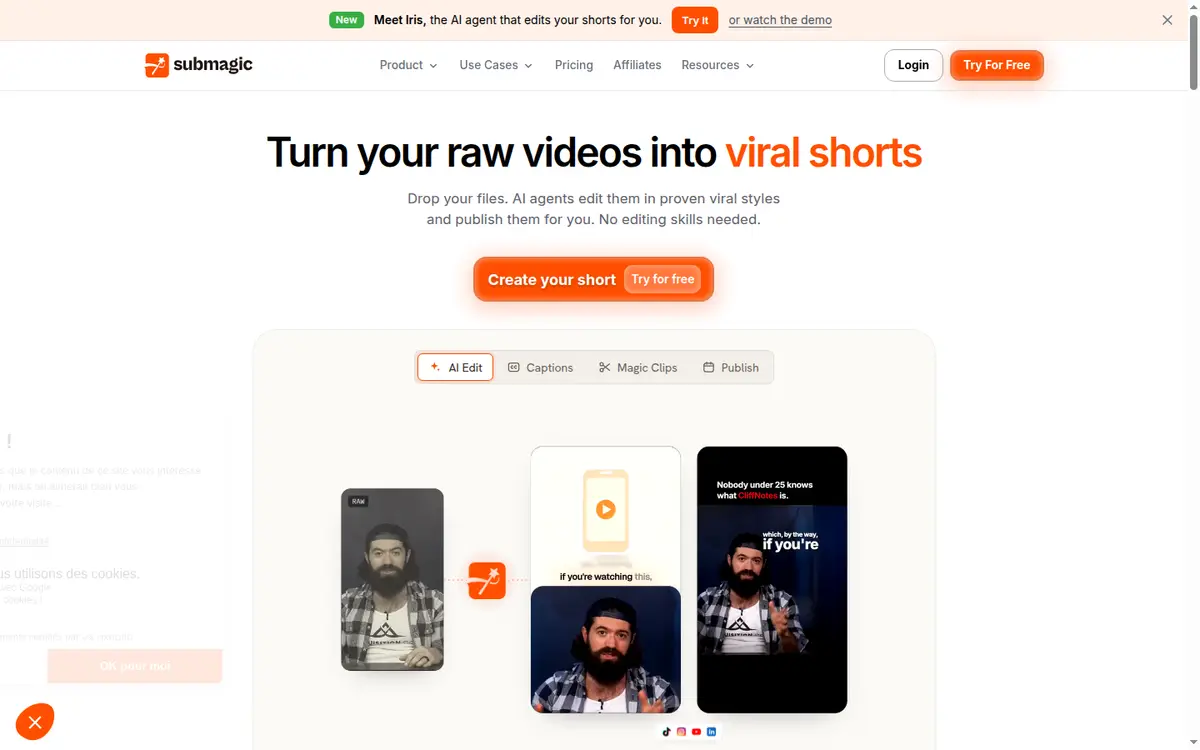
What Submagic does well
- Caption styles in 118 languages
- Removes bad takes and silences automatically on Pro
- Cuts long videos up to 3 hours into shorts with Magic Clips
- Publishing and analytics built in on Pro and above
Its limits for faceless YouTube
- Starts from footage you upload; it does not write a video from an idea
- Videos stop at 2 minutes on Starter and 5 minutes on Pro
- Showed prices in euros to our location, so USD prices could not be confirmed
What Submagic users report
On Trustpilot, Submagic has a TrustScore of 4.5 from 864 reviews, and 7% of them are 1 star. The most recent critical reviews, then a recent positive one, as of Nov 21, 2026:
Being forced to pay before canceling…
“Being forced to pay before canceling the subscription feels like a forced purchase, not a free choice.”
I signed up for Submagic Pro but…
“I signed up for Submagic Pro but decided not to continue, and I have not used the service. Today I saw around ten attempts…”
I would say shady business practices.
“We've been using one of the middle packages with submagic with decent results. Apparently we uploaded a video that was too…”
I had situation where I forgot to… cancel subscribtion
“I had situation where I forgot to cancel my plan, but thanks to Mo, he helped me to recieve my money back!”
Pricing: Submagic vs VidEdge
Compare what a finished minute of video costs you, not only the monthly price. A cheaper plan that caps length, watermarks exports or charges per few seconds of generated footage can cost more per video you can actually publish.
Submagic pricing
Starter
See its site
45 credits a month, 15 captioned videos, up to 2 minutes per video, 1080p
Pro
See its site
120 credits a month, 40 captioned videos, up to 5 minutes per video, 2K, Storyblocks B-roll
Business
See its site
300 credits a month, 100 captioned videos, up to 30 minutes per video, 4K, API access
From Submagic's pricing page, checked Nov 21, 2026. Prices change; check their site before you buy.
VidEdge pricing
Hobbyist
$79.99/mo
$63.99/mo billed yearly
38 min of finished Real Footage video ($2.10/min) or 22 min of Animation, 30 AI scripts, 126 thumbnails
Creator
$149.99/mo
$119.99/mo billed yearly
87 min of finished Real Footage video ($1.72/min) or 42 min of Animation, 60 AI scripts, 252 thumbnails
Professional
$299.99/mo
$239.99/mo billed yearly
194 min of finished Real Footage video ($1.55/min) or 88 min of Animation, 132 AI scripts, 550 thumbnails
Every plan includes the editor, AI avatars, voiceover, Niche Finder and the Chrome extension. Cancel anytime.
Feature by feature
How it works
Submagic
Adds captions, cuts, B-roll, zooms and music to your raw footage, and cuts long videos into shorts.
VidEdge
Type an idea and get a finished, edited video: script, voiceover, visuals, captions, music and sound effects
Visuals
Submagic
Your own footage, with B-roll added automatically (Storyblocks on Pro and Business) and AI avatars
VidEdge
Real Footage (real clips found online, with AI only where no footage exists), Animation, Photorealistic, AI Avatars and Musical
Script and voice
Submagic
Works from the video you upload; captions in 118 languages by its own count
VidEdge
AI voiceover with custom and cloned voices. Bring your own script (paste or upload a file). Bring your own voiceover (MP3 upload)
Editing
Submagic
Automatic captions, cuts, zooms and music, plus Iris, an AI agent that edits your shorts and takes chat revisions
VidEdge
A full timeline editor plus an AI editing agent you direct in plain English, on desktop and phone
Research
Submagic
Not part of the product
VidEdge
Niche Finder with a database of 8,000+ niches and a Chrome extension for YouTube research
Where VidEdge is stronger
- VidEdge starts from an idea: it writes the script, narrates it and finds the visuals, so you need no footage of your own.
- VidEdge makes long-form videos up to 60 minutes as well as Shorts, and can cut Shorts from a finished long video.
- VidEdge finds real footage of the people, places and events in your script, and generates a photoreal AI shot only where none exists.
- VidEdge includes faceless channel research: Niche Finder with 8,000+ niches, video ideas and a Chrome extension.
VidEdge starts at $79.99 a month, long-form videos run up to 60 minutes, and a finished minute of Real Footage video costs as little as $1.55.
The verdict
Choose Submagic if…
- You film yourself and want captions and quick edits added to footage you already have.
- You need captions in many more languages than VidEdge's 6.
Choose VidEdge if…
- VidEdge starts from an idea: it writes the script, narrates it and finds the visuals, so you need no footage of your own.
- VidEdge makes long-form videos up to 60 minutes as well as Shorts, and can cut Shorts from a finished long video.
- VidEdge finds real footage of the people, places and events in your script, and generates a photoreal AI shot only where none exists.
Frequently asked questions
Is Submagic or VidEdge better for faceless YouTube?
It depends on what you make. Submagic is the better pick if you film yourself and want captions and quick edits added to footage you already have. VidEdge starts from an idea: it writes the script, narrates it and finds the visuals, so you need no footage of your own.
How much does Submagic cost compared with VidEdge?
VidEdge starts at $79.99 a month and a finished minute of Real Footage video costs as little as $1.55. Submagic does not publish a monthly price for every plan. Submagic free plan: A "Try for free" option with no card needed; the trial's limits are not stated.
How long can videos be on Submagic and VidEdge?
VidEdge makes videos up to 60 minutes, plus Shorts. Submagic: 2 minutes per video on Starter, 5 on Pro and 30 on Business; Magic Clips takes source videos up to 3 hours.
Can I switch from Submagic to VidEdge?
Yes. You can paste or upload a script you already have, upload your own MP3 voiceover, and VidEdge builds the video from it in 6 languages. There is nothing to migrate.
Why are Submagic's prices not listed here?
On Nov 21, 2026 Submagic showed its prices in euros to our location, so its US dollar prices could not be confirmed. Check its pricing page for the price where you are.
Want to see what VidEdge makes from your idea?
Type an idea and VidEdge writes, voices, finds the footage and edits it into a finished video. Cancel anytime.
Make your first videoRelated


Submagic is a trademark of its owner. VidEdge is not affiliated with it. Facts about other products come from their own websites on the date shown; if something here is out of date, email [email protected] and we will correct it.