
 ClipchampVS
 VidEdge
Clipchamp vs VidEdge: an honest comparison for faceless YouTube
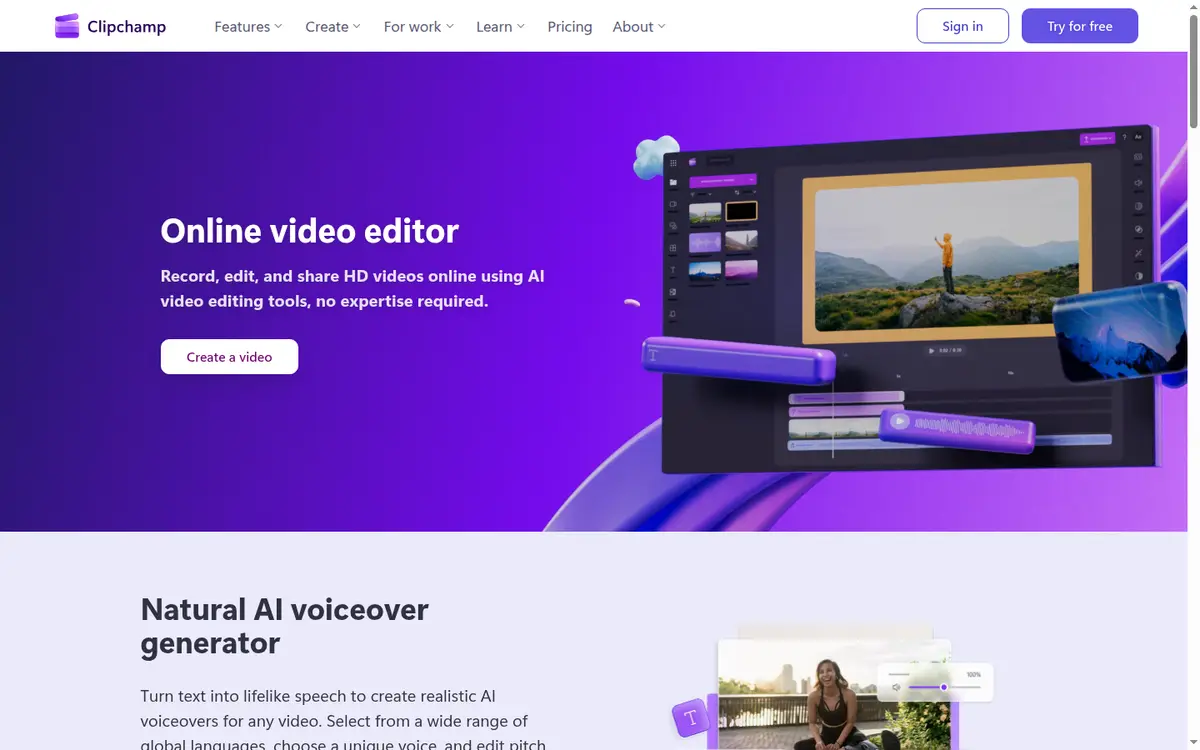
Clipchamp in one line: a beginner-friendly video editor from Microsoft, free in the browser and on Windows. It is best for beginners and Windows users making simple edits, slideshows and social videos for free. VidEdge turns a video idea into a finished, edited faceless video. Below: how the two compare on price, video length, footage and editing, with every price taken from each company's own site.
Clipchamp vs VidEdge at a glance
| Feature | Clipchamp | VidEdge |
|---|---|---|
| Starts at | See its site | $79.99/mo |
| Longest video | No set limit | 60 min |
| Makes Shorts | Yes | Yes |
| Real footage of your subject | Stock only | Yes |
| AI-generated visuals | Not stated | Yes |
| AI avatars | Not stated | Yes |
| Languages | 80 (voiceover) | 6 |
| Free plan | Yes | No |
"Not stated" means Clipchamp's own site does not say, so we do not guess.
What Clipchamp does well, and its limits
What Clipchamp does well
- Free, watermark-free 1080p exports
- Free AI voiceover in 80 languages
- Built into Windows and simple to learn
Its limits for faceless YouTube
- Free exports stop at 1080p; 4K needs Microsoft 365 Personal or Family
- Microsoft recommends projects of 10 minutes or less
- You write the script and assemble the video yourself
What Clipchamp users report
On Trustpilot, Clipchamp has a TrustScore of 4.8 from 7,598 reviews, and 5% of them are 1 star. The most recent critical reviews, then a recent positive one, as of Nov 21, 2026:
Extremely disappointing experience
“Extremely disappointing experience. This app is painfully slow, constantly struggles with basic editing, and makes even…”
buffering all the time plz never use…
“buffering all the time plz never use this”
This is total rubbish
“This is total rubbish. They send me two files instead of one, and I need to spend time editing. Can you not just send me…”
I made my first video
“I made my first video! I'm 54 and thought there was no way this old dog could learn new tricks but it was easy!! So…”
Pricing: Clipchamp vs VidEdge
Compare what a finished minute of video costs you, not only the monthly price. A cheaper plan that caps length, watermarks exports or charges per few seconds of generated footage can cost more per video you can actually publish.
Clipchamp pricing
Free
Free
Exports up to 1080p with no watermark, free stock, AI voiceover and subtitles
Premium
See its site
Included with Microsoft 365 Personal and Family: 4K exports, premium stock, brand kit
From Clipchamp's pricing page, checked Nov 21, 2026. Prices change; check their site before you buy.
VidEdge pricing
Hobbyist
$79.99/mo
$63.99/mo billed yearly
38 min of finished Real Footage video ($2.10/min) or 22 min of Animation, 30 AI scripts, 126 thumbnails
Creator
$149.99/mo
$119.99/mo billed yearly
87 min of finished Real Footage video ($1.72/min) or 42 min of Animation, 60 AI scripts, 252 thumbnails
Professional
$299.99/mo
$239.99/mo billed yearly
194 min of finished Real Footage video ($1.55/min) or 88 min of Animation, 132 AI scripts, 550 thumbnails
Every plan includes the editor, AI avatars, voiceover, Niche Finder and the Chrome extension. Cancel anytime.
Feature by feature
How it works
Clipchamp
A beginner-friendly video editor from Microsoft, free in the browser and on Windows.
VidEdge
Type an idea and get a finished, edited video: script, voiceover, visuals, captions, music and sound effects
Visuals
Clipchamp
Your uploads and royalty-free stock videos, images and music; AI auto compose for quick videos
VidEdge
Real Footage (real clips found online, with AI only where no footage exists), Animation, Photorealistic, AI Avatars and Musical
Script and voice
Clipchamp
Free AI voiceover with 400 voices in 80 languages; you write the script
VidEdge
AI voiceover with custom and cloned voices. Bring your own script (paste or upload a file). Bring your own voiceover (MP3 upload)
Editing
Clipchamp
Simple timeline editor with AI subtitles, silence removal, screen and webcam recording
VidEdge
A full timeline editor plus an AI editing agent you direct in plain English, on desktop and phone
Research
Clipchamp
Not part of the product
VidEdge
Niche Finder with a database of 8,000+ niches and a Chrome extension for YouTube research
Where VidEdge is stronger
- VidEdge writes the script and builds the whole edited video from an idea, up to 60 minutes, instead of leaving the assembly to you.
- VidEdge finds real footage of the actual people, places and events in your script, and adds Animation, Photorealistic, AI Avatars and Musical styles.
- VidEdge includes faceless channel research and AI thumbnails on every plan.
VidEdge starts at $79.99 a month, long-form videos run up to 60 minutes, and a finished minute of Real Footage video costs as little as $1.55.
The verdict
Choose Clipchamp if…
- You want a free editor with no watermark for simple videos.
- You already pay for Microsoft 365 Personal or Family, which includes its premium features.
Choose VidEdge if…
- VidEdge writes the script and builds the whole edited video from an idea, up to 60 minutes, instead of leaving the assembly to you.
- VidEdge finds real footage of the actual people, places and events in your script, and adds Animation, Photorealistic, AI Avatars and Musical styles.
- VidEdge includes faceless channel research and AI thumbnails on every plan.
Frequently asked questions
Is Clipchamp or VidEdge better for faceless YouTube?
It depends on what you make. Clipchamp is the better pick if you want a free editor with no watermark for simple videos. VidEdge writes the script and builds the whole edited video from an idea, up to 60 minutes, instead of leaving the assembly to you.
How much does Clipchamp cost compared with VidEdge?
VidEdge starts at $79.99 a month and a finished minute of Real Footage video costs as little as $1.55. Clipchamp does not publish a monthly price for every plan. Clipchamp free plan: Free with a personal Microsoft account: no watermark, exports up to 1080p, free stock.
How long can videos be on Clipchamp and VidEdge?
VidEdge makes videos up to 60 minutes, plus Shorts. Clipchamp: No enforced project length, though Microsoft recommends 10 minutes or less.
Can I switch from Clipchamp to VidEdge?
Yes. You can paste or upload a script you already have, upload your own MP3 voiceover, and VidEdge builds the video from it in 6 languages. There is nothing to migrate.
How much does Clipchamp Premium cost?
Clipchamp does not sell Premium on its own: its premium features come with a Microsoft 365 Personal or Family subscription, priced on Microsoft's site.
Want to see what VidEdge makes from your idea?
Type an idea and VidEdge writes, voices, finds the footage and edits it into a finished video. Cancel anytime.
Make your first videoRelated


Clipchamp is a trademark of its owner. VidEdge is not affiliated with it. Facts about other products come from their own websites on the date shown; if something here is out of date, email [email protected] and we will correct it.